 beesolo.
Choose when clients can book you.
Set your working week, change a single day, or block time off. beesolo shows clients the times that fit your schedule and the service they choose.
Decide how much notice you need
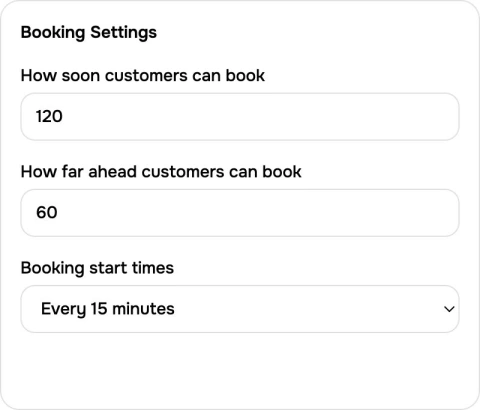
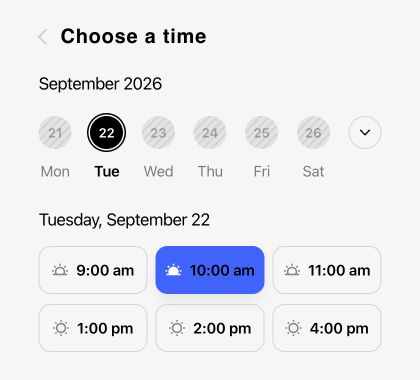
In this example, clients need to book at least two hours ahead and can choose dates up to 60 days away. Start times are offered every 15 minutes, when the full service fits.
Your usual working week
Set the regular hours that future dates start from.
A different day
Replace the hours for one date or close it without changing every week.
Time away
Block a period from new bookings. Existing appointments still need your attention.
Booking limits
Choose the minimum notice you need and how far into the future clients can book.
Give your regular week a starting point
Set the hours you normally work so future dates have a schedule to follow. Clients only see openings that can hold the service they select, with existing appointments taken into account.
Set up your availabilityMatch the opening to the work
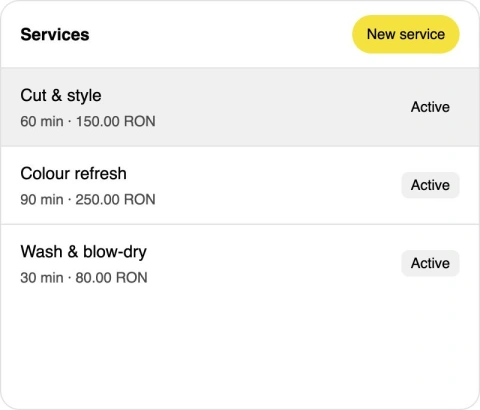
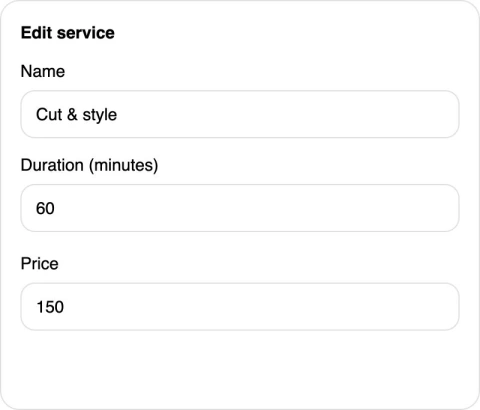
A cut takes an hour. A colour refresh takes longer. Keep service durations accurate and beesolo checks the whole appointment against your available hours before offering a start time.
Change one date without changing every week
Starting later on Thursday or working a shorter Saturday? Use date-specific hours for that date. Your regular week stays in place for other days, so a one-off change does not become a recurring schedule.
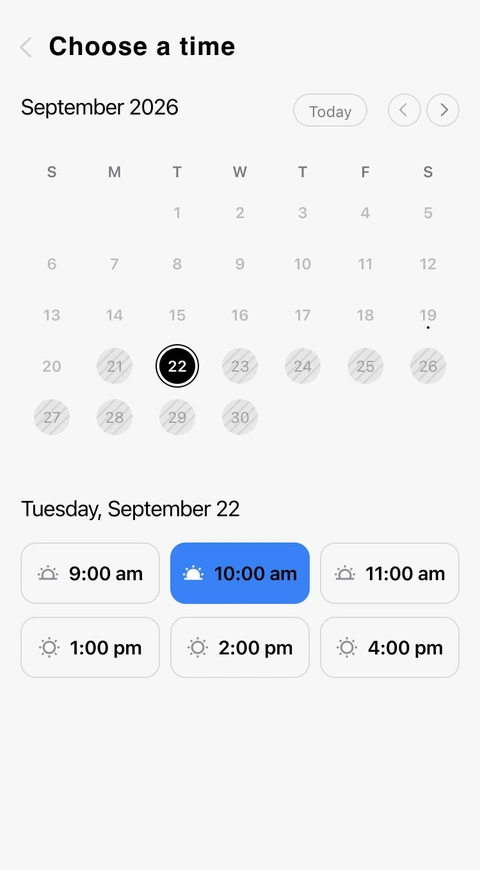
Leave room between now and the next booking
Minimum notice keeps clients from booking sooner than you can prepare. In this example, two hours of notice means a client looking at 9:00 cannot book a 10:00 start that same morning.
Set up your availabilityChoose how far ahead the calendar opens
An advance-booking window limits how far into the future clients can choose. Set a window you can commit to, along with the spacing between possible start times. The full service still has to fit.
Protect time away from new bookings
Add time off for a break, an errand, or a day away. That period is excluded from new availability. Check appointments already booked in that period separately, because adding time off does not cancel a client’s visit.
See how one change affects the times clients see
Suppose Thursday normally runs from 9:00 to 18:00. These examples show why working hours, time off, and service duration are separate controls.
- You start later on one Thursday
- Use date-specific hours of 11:00–18:00.
- Appointments that fit after 11:00 on that date. Other Thursdays keep their usual hours.
- You need a break from 12:00 to 13:00
- Add time off for that period.
- New appointments that do not overlap the break. Review existing bookings separately.
- A free gap lasts 30 minutes
- Keep each service’s duration accurate.
- A 30-minute service can fit. A 90-minute service needs another opening.
Build a schedule around the way you work
Set a regular pattern first. Use exceptions for the days that need something different.
Set up your availabilitySet the normal week
Enter the hours you usually work for each day. Keep non-working days closed and check the timezone used by your schedule.
Add the exceptions
Use a dated change for a late start or shorter day. Add time off for a break or holiday, and handle any appointments already in that period.
Check a short and a long service
Review availability for two services with different durations. Check that the last offered start time leaves enough room before you finish work.
Questions before you start
Working hours, time off, service duration, and booking limits.
Start with the hours you normally work each day of the week. Those hours form the basis of your public availability. beesolo combines them with the selected service duration, existing appointments, and your booking rules to calculate the times clients can choose.
Plan a calendar you can actually work
Practical advice on protecting time away and choosing a useful notice period.
· 5 min read
Run your calendar · beesolo
How to block time off in your salon booking calendar
Plan a holiday, a half-day, or a one-off closure without leaving bookable gaps. Check existing visits, boundary times, and the first day back.
· 4 min read
Run your calendar · beesolo
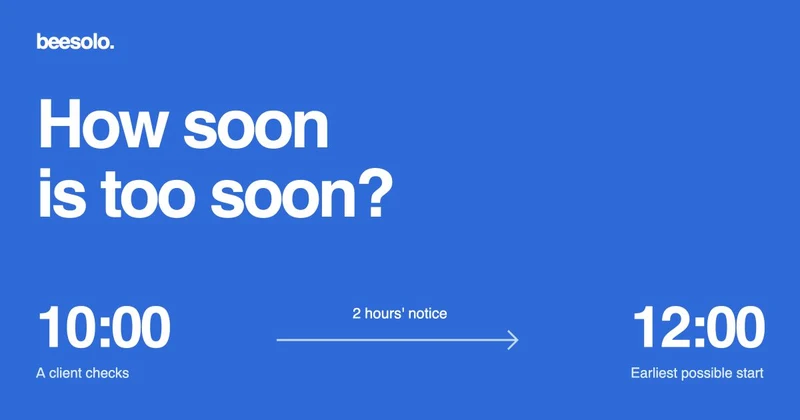
Minimum booking notice: a guide for solo salons
Choose a notice period that fits how you work. Includes same-day booking examples and a way to diagnose appointments that disappear from your calendar.
Your next booking starts here.
Your work, services, and available times. One link clients can book from.