 beesolo.
Keep clients informed about their appointment.
Give clients a secure route back to their appointment details. See how confirmations, reminders, and notices relate to bookings and changes.
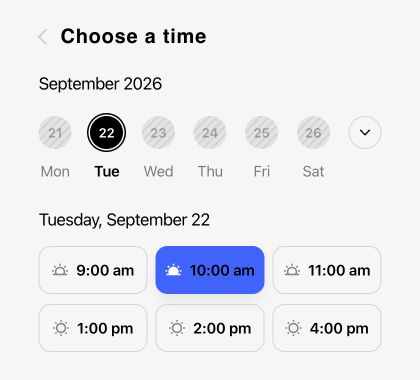
Give clients somewhere to check the details
A confirmation email can lead back to this appointment page. The client can check the service, time, price, and location without asking you to send the details again.
When the booking is confirmed
Let the client know the appointment has been booked.
Before the visit
Bring the upcoming appointment back to their attention with a reminder.
When the time changes
After an Owner move, a reschedule notice communicates the updated visit when you choose to notify the client. Pending reminders are checked against the current booking.
When a booking is cancelled
A cancellation notice makes it clear that the original visit is no longer going ahead.
Confirm the appointment they just booked
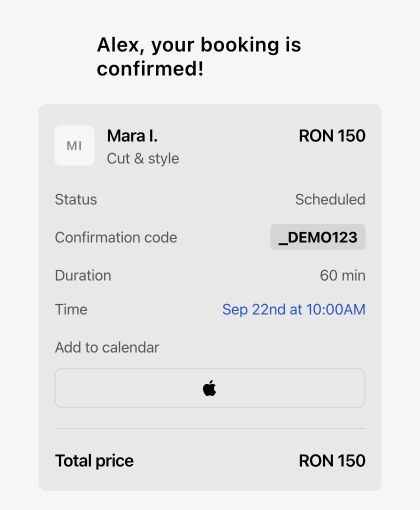
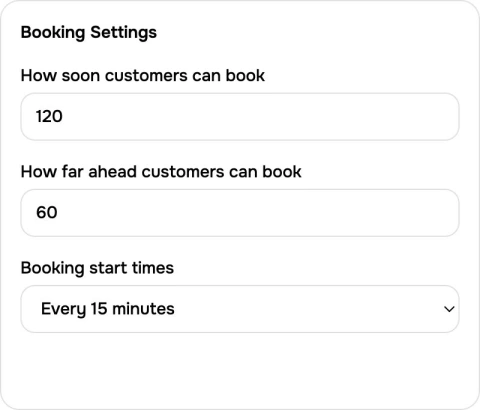
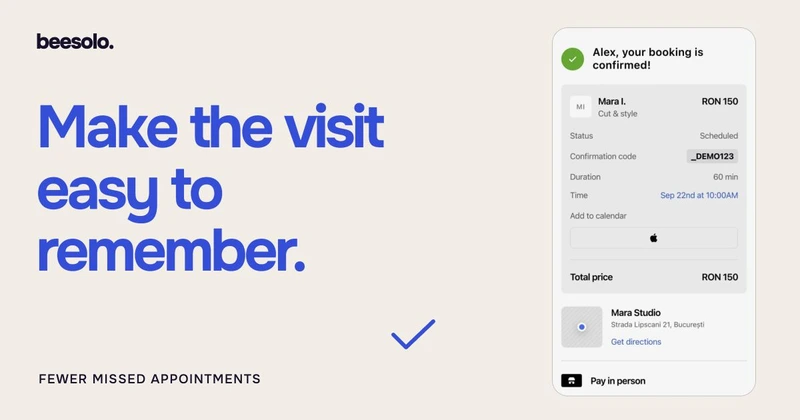
A booking confirmation tells the client that the visit is booked and gives them the service, time, and price to check. The appointment link gives them somewhere to return when they need the details again.
Start with beesoloUse the contact details they give you
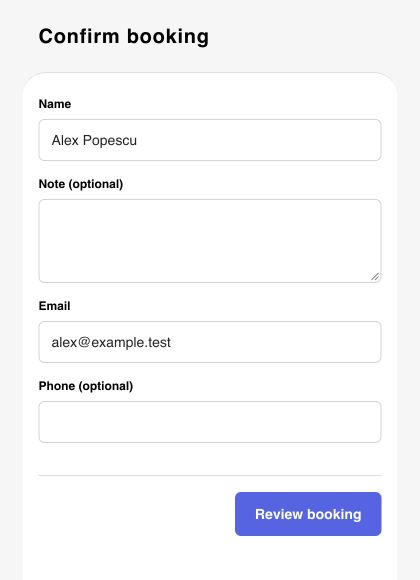
Clients enter contact information during booking. Check the email used for the appointment when a message is missing. Updating a preferred address in the client record does not prove that an earlier message reached that address.
Bring the upcoming visit back to mind
A reminder brings the upcoming visit back to the client’s attention. The appointment link gives them a place to check the time and location. Contact support to confirm the messages and timing available for your account.
Keep a change of time clear
When you move an appointment in the Merchant App and choose to notify the client, the reschedule notice communicates the updated visit. Pending reminders are checked against the current booking.
Start with beesoloMake a cancellation unambiguous
A cancellation notice tells the client the original visit is no longer going ahead. Clients can verify their booking email through their secure appointment link to cancel or reschedule a single appointment online up to one hour before the start. For service changes or help after the cutoff, they contact you.
Keep the message tied to the current appointment
A reminder should describe the visit that is still booked. Different changes need different messages.
- Booking confirmed
- Tell the client that the appointment has been booked.
- The service, date, time, and location.
- Appointment moved by Owner
- Communicate the agreed time after the Owner move completes.
- The updated appointment details before planning the visit.
- Booking cancelled
- Make it clear that the original visit is no longer going ahead.
- The cancellation status, rather than relying on an older confirmation.
Check the basics before relying on reminders
Check the booking itself and the contact details used for that visit. Use the help center when a message is missing.
Start with beesoloConfirm the available messages
Contact support@beesolo.app to confirm the messages and timing available for your account. For a missing email, check the booking address and spam folder before requesting help.
Keep contact details current
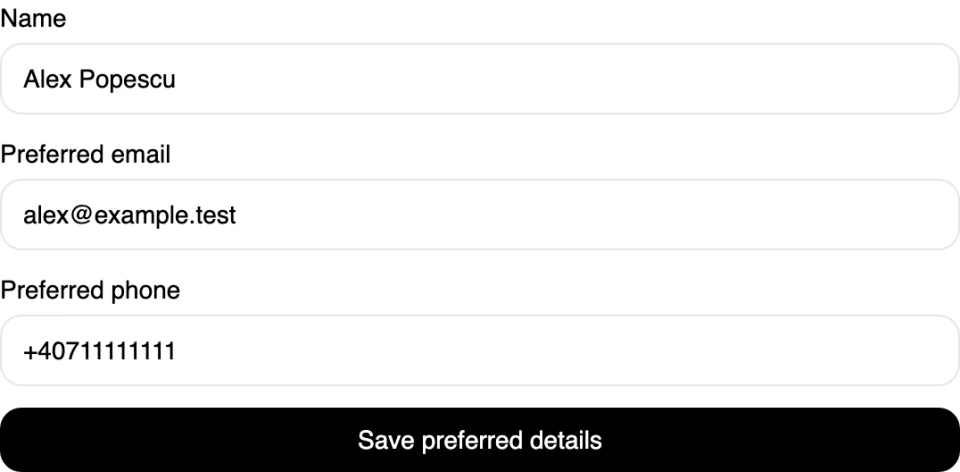
Check the email supplied for the appointment. Keep preferred contact details current for future conversations, and contact the client directly if the booking used an outdated address.
Make changes through the booking
Complete the cancellation or agreed move in the Merchant App so the appointment status is current. A separate conversation with the client does not update the booking by itself.
Questions before you start
Which appointment messages are supported and what delivery depends on.
beesolo supports confirmations, reminders, and notices for cancellations or moves made by the owner. Message availability depends on the delivery service. Contact support@beesolo.app to confirm which messages and timing are available for your account. A saved phone number does not by itself enable SMS or WhatsApp.
Make appointment messages more useful
Give clients clear expectations before a visit and a practical way to handle changes.
· 5 min read
Keep clients · beesolo
How to reduce salon no-shows: a practical checklist
Work out why appointments are being missed, then fix the relevant part of booking. Includes confirmation wording, a simple review log, and follow-up messages.
· 5 min read
Templates & examples · beesolo
Salon cancellation policy: a clear, editable template
A fee-free cancellation policy you can adapt, plus short messages for late arrivals, missed visits, and appointments you need to move yourself.
Your next booking starts here.
Your work, services, and available times. One link clients can book from.