 beesolo.
Appointment buffer time for barbers and salons
A 45-minute haircut may occupy an hour of your day. Work out the reset time each service needs and build a schedule that still works after the first client.
By beesolo · Published on · Updated · 4 min read
On this page
Your 10 am haircut finishes at 10:45. The next client is already waiting, but you still need to take payment, clear the station, and prepare fresh equipment. The calendar says you are on time. The work says otherwise.
Appointment buffer time accounts for the work around a service. For a solo barber or stylist, that time belongs to the same person who does the haircut. It cannot quietly happen in parallel somewhere else.
There is no single correct buffer for every service. Start by finding when you are actually ready for the next client.
Measure four moments in a normal visit
For a few appointments of the same service, note:
- When the appointment starts.
- When the hands-on service finishes.
- When the client leaves after the usual finish and payment.
- When the station and equipment are ready again.
You are looking for recurring work, not trying to turn every minute into a productivity score. If a short consultation always happens before the cut, it belongs in the service plan. If resetting the station always follows the visit, it needs calendar space too.
A sample haircut might look like this:
Scroll sideways to see the full table.
| Time | What is happening |
|---|---|
| 10:00 to 10:05 | Consultation and agreeing the shape |
| 10:05 to 10:40 | Haircut |
| 10:40 to 10:45 | Finish and checking the result |
| 10:45 to 10:50 | Payment and client departure |
| 10:50 to 11:00 | Resetting the station and preparing for the next visit |
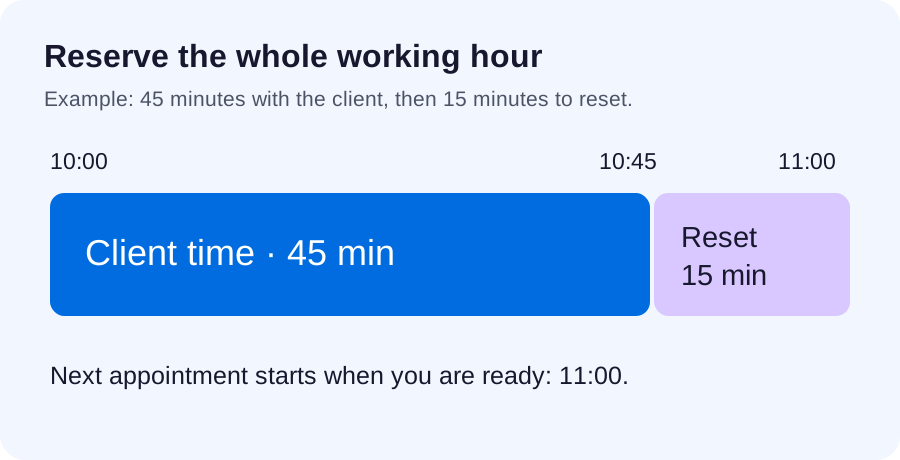
In this example, the appointment occupies a full hour of the professional's time. Listing a new start at 10:45 creates a 15-minute conflict even though the haircut itself is complete.
Separate service time from reset time
A useful planning formula is:
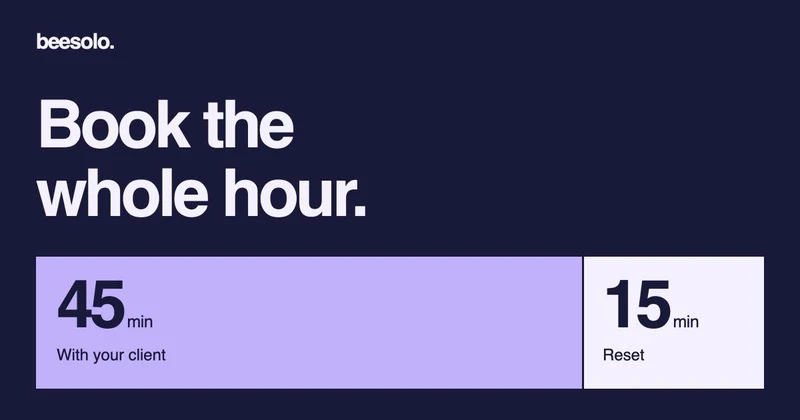
Time with the client + time before you are ready again = occupied calendar time.
If that is 45 minutes plus 15 minutes, reserve 60 minutes in your working plan. Do not count the same work twice. If payment and resetting are already included in the duration you use, adding another 15 minutes overstates the requirement.
Equally, do not remove the consultation from the service just because it is not cutting time. A rushed discussion is still part of the appointment you have to deliver.
Use recent ordinary visits to choose a starting point. One unusually difficult day should not define every booking, but a service that overruns most days needs a more realistic duration. The service-menu guide explains how to keep the client's description clear while you account for the whole visit.
See what happens across a morning
Suppose you want to work from 9 am to noon, and each haircut needs 45 minutes with the client plus 15 minutes to reset.
A workable sample morning is:
Scroll sideways to see the full table.
| Appointment | Client time | Reset time |
|---|---|---|
| First haircut | 9:00 to 9:45 | 9:45 to 10:00 |
| Second haircut | 10:00 to 10:45 | 10:45 to 11:00 |
| Third haircut | 11:00 to 11:45 | 11:45 to noon |
Three visits fit. Four 45-minute appointments appear to fit in the same three hours only if you ignore the reset work. Four resets add another hour, so the plan cannot finish by noon.
This is why a full-looking calendar can be less useful than a realistic one. The missing time has to come from somewhere, often the next client's appointment or your break.
Give different services different treatment
A beard trim, a haircut, and a colour appointment may leave different work behind. Measure each rather than applying a large blanket gap to everything.
Consider the preparation before the visit as well. A consultation might need little station setup; a service with equipment or product preparation may need more. When deciding where to reserve time, include work you must finish before the client sits down.
Colour processing deserves a separate check. You may still need to monitor, rinse, or finish the first service during that period. For a solo professional, do not treat it as a fully free appointment just because your hands are briefly available.
Translate the plan into your booking setup
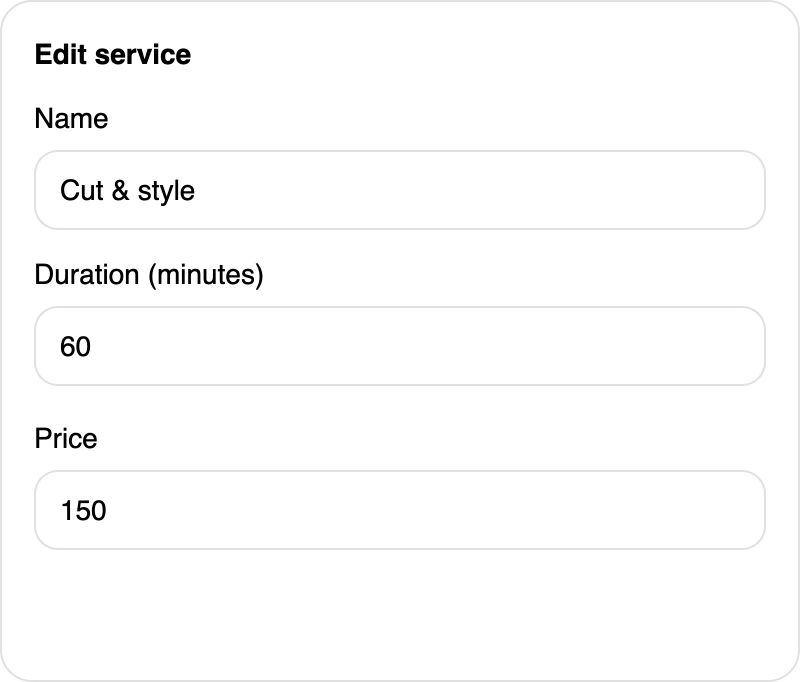
In beesolo, service duration determines how much continuous appointment time must fit. Use a duration that reflects the slot you intend to reserve, and check the available starts from the public booking page.
This guide does not assume a separate automatic before-and-after buffer control. If you account for reset work within the reserved duration, make the client-facing wording honest, such as "Allow up to an hour for your visit". Use time off for a break or unavailable period where appropriate, rather than expecting minimum notice to create gaps between appointments.
The start-time interval is also different. A 15-minute grid may offer 10:00, 10:15, and 10:30 as possible starts, but it does not add a 15-minute break after each appointment. Minimum notice governs how soon a new booking can start, not the gap after an existing one.
Protect breaks explicitly
A 15-minute reset is working time. If you need lunch, admin time, or a longer pause, reserve it as its own unavailable period. Otherwise the calendar can be perfectly realistic about appointments and still leave no break for you.
After adjusting your durations, review a complete day rather than one slot. Check the first start, the gap around lunch, the end of a long service, and the final finish. For a planned day away, use the time-off checklist.
Keep the timing notes for a week, then revisit them. If you repeatedly have unused time, shorten the allowance carefully. If the same service keeps running late, fix that service before squeezing the next client's visit.
Explore the beesolo booking page or browse more practical booking guides.