 beesolo.
How to photograph haircuts for your booking gallery
Build a useful gallery with a repeatable shot list, clear service captions, and photographs that show the work honestly.
By beesolo · Published on · Updated · 3 min read
On this page
A booking gallery should help someone recognise the work they want to book. A close-up of a perfect detail may look good on its own, but it cannot explain the overall shape or which service produced it.
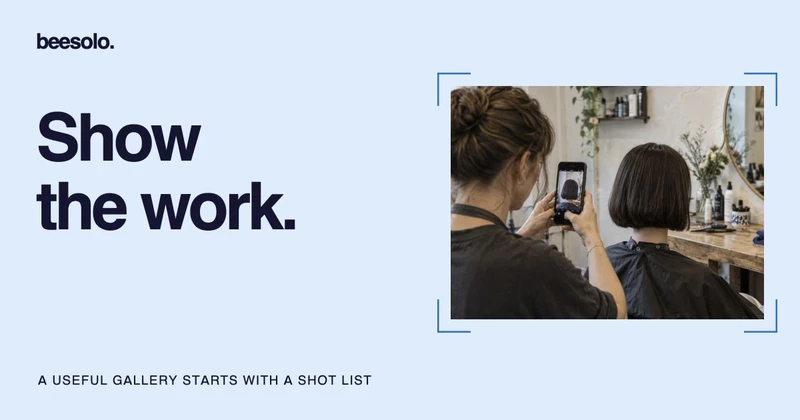
Choose a small, repeatable set of photographs. Show the complete result, the detail that matters, and enough context to connect it to your menu. You do not need a new camera to start checking those things.
Ask before taking and publishing a photograph
Explain where you would like to use the image and ask the client before taking it. Ask separately about publishing it. A client can be comfortable with a private reference photo and uncomfortable with a public post.
Offer a frame that leaves the face out when suitable, but remember that a person can still recognise themselves through tattoos, clothing, or context. Respect a refusal without making the service awkward. Keep your agreed use clear rather than treating permission as unlimited.
This is a working habit for an ordinary appointment, not a legal release template. Use your business's consent process when you need one.
Use a repeatable shot list
Download the gallery shot list and keep it near the station.
Scroll sideways to see the full table.
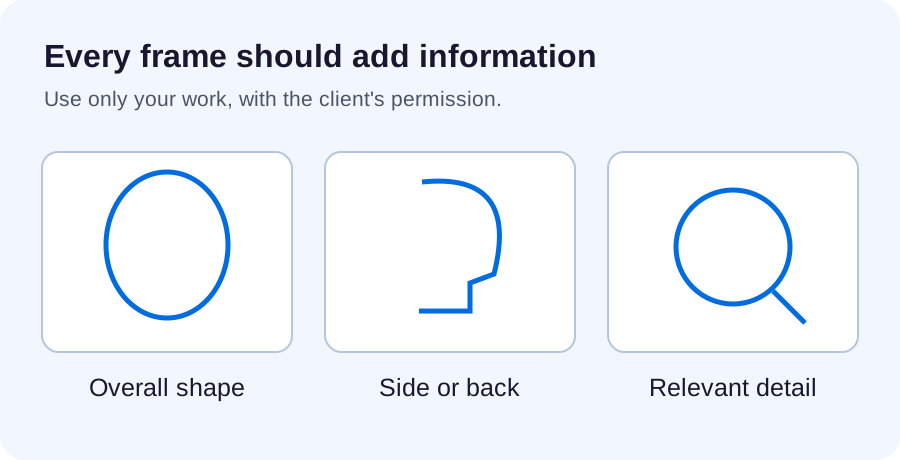
| Shot | What a prospective client should see | Check before keeping it |
|---|---|---|
| Overall shape | Length, outline, and how the cut sits | The full hairstyle fits inside the frame. |
| Side or back view | The part of the work a front view hides | The angle explains something different. |
| Relevant detail | A fringe, blend, texture, or finish | The detail is sharp and still understandable. |
You may only need two images. Do not publish several near-identical frames to make the gallery look larger. Choose the image that answers a different question.
Keep the shooting conditions consistent
Clean the lens and look at the background before lifting the phone. Remove an open client diary, a visible screen, or anything else that should not be published. Position the client comfortably and leave room around the hairstyle.
Try the same well-lit spot for each set, and check the screen for harsh bright patches or dark areas that hide the cut. On iPhone, you can tap the area to focus and adjust exposure beside it; Apple documents those controls in its camera setup guide. Use the equivalent controls for your phone rather than guessing from a different model's interface.
Review the image before the client leaves. Zoom in enough to check sharpness and then return to the full frame. A sharp section of clothing does not help if the haircut is soft.
Edit for clarity without changing the result
A crop can remove a distracting edge. A modest exposure correction can help the image reflect what you saw. Avoid edits that change the hair's colour, density, texture, or shape. The gallery should set expectations you can discuss honestly with a new client.
If you show before and after photographs, keep the angle, distance, lighting, and presentation as consistent as practical. Explain differences such as a dry styled finish rather than letting the image imply that cutting alone produced every change.
Write a caption that connects to a service
Soft bob with a textured finish. Book [exact service name] for a cut and finish. If you are planning a larger change, contact me first so we can choose the right appointment.
Use the exact menu name and describe only the work shown. A colour transformation should not point someone toward a routine maintenance appointment if it needs a consultation first.
Review the gallery beside your service menu and Instagram bio. Those pieces should tell the same story about the work you offer. Then check the complete booking page on a phone to make sure the useful details survive the smaller view.
Explore the beesolo booking page or browse more practical booking guides.