 beesolo.
How to choose booking software when you work alone
Test the tasks a solo barber or hair stylist actually needs: a clear public page, realistic availability, manageable changes, and useful customer records.
By beesolo · Published on · 3 min read
On this page
Choose booking software by completing a normal day's tasks. A feature list cannot tell you whether a client will choose the right service or whether you can close Friday afternoon without disturbing the following week.
This is a buying checklist for a business with one working professional. Use the booking-software worksheet to record what you tested, what worked, and what you still need answered.
Write down your non-negotiables
Start with actual work. For example: a haircut takes an hour including reset, colour appointments take longer, you stop for lunch, and clients sometimes need help choosing a service. Those facts create test cases.
Split requirements into things you need today and things you might want later. If you take payment separately, a complicated point-of-sale system may not decide your booking choice. If card deposits are essential to your process, verify the entire payment and refund workflow before relying on them.
Do not buy around a promised roadmap item. Record what the current product does and any manual work you would still perform.
Test the client journey on a phone
Open the public page as someone who has never visited your business. Use a private browsing session so an existing login does not hide an account requirement.
Can you identify the professional, location, services, duration, and price? Choose a service and follow the booking to its end in a demo or a safely managed test appointment. Inspect the confirmation and the change route.
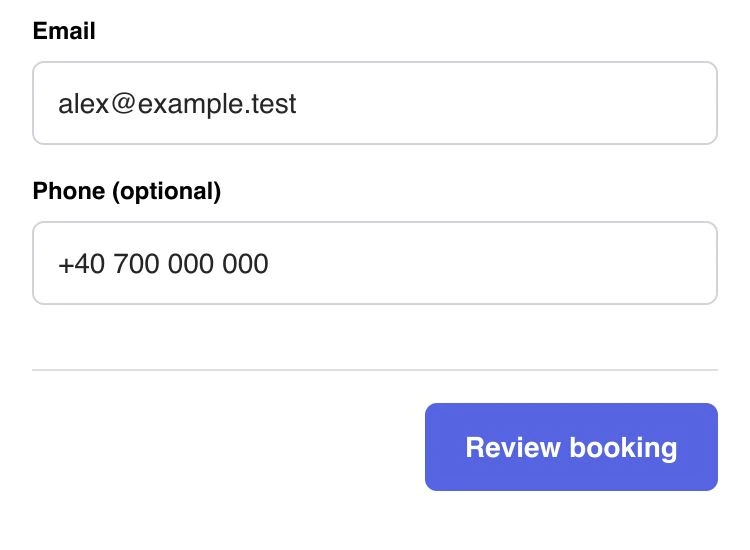
Check whether the required information is proportionate to an appointment. Note confusing fields or unexplained account prompts. In beesolo, clients use the browser booking flow without creating a client account.
Try the calendar's awkward edges
Use the same sample working day for each check. A useful example is 9 am to noon, lunch, then 1 pm to 5 pm, with one existing afternoon appointment.
Scroll sideways to see the full table.
| Test | A useful result |
|---|---|
| Choose a 90-minute service near closing | It cannot start if it would run past the available period. |
| Look at the occupied afternoon time | Another appointment cannot overlap the reserved work. |
| Change minimum notice | The earliest possible new start changes as expected. |
| Block one afternoon away | That date closes, while later normal afternoons remain available. |
| Change an existing visit | You can see the new state and understand what the client is told. |
Record failures precisely. "Calendar confusing" is hard to investigate. "A 90-minute service was offered at 4 pm when working hours ended at 5 pm" gives support something concrete to check.
The buffer guide explains occupied time. The time-off guide explains the difference between a recurring pattern and a dated absence.
Check the work around the appointment
Try editing a service description and finding a customer note. Confirm whether notes are private, how preferred contact information is changed, and what you can retrieve if a client asks a question later.
Ask what happens to existing appointments when you edit a price or duration. Do not assume every change is retrospective. Ask which messages are automatic, which need your action, and whether their wording or timing can be changed.
In beesolo, set duration in the service editor, working hours in Availability, and notice in Booking Settings. Test each control against the sample working day before sharing the link.
Understand the cost and the exit route
Read the current terms for subscription charges, messages, transaction fees, and any optional services you plan to use. Build a small cost example from your own expected activity and verify it against current pricing. Do not treat an advertised starting price as the complete monthly amount.
Ask how to export the records you need and what the export contains. Test an available export with demo data before deciding it meets your needs. An exported contact list may not include appointment history or private notes.
Keep these questions in your worksheet rather than relying on memory during a trial. A missing answer is a follow-up task, not an assumed yes.
Make the decision from the completed workflow
At the end of the trial, identify anything that would force you to maintain a second calendar or repeatedly correct client bookings. Those are more important than an attractive optional feature you will rarely use.
If the essential tasks work and the remaining manual steps are acceptable, plan a controlled changeover. The paper-diary transition guide starts with protecting the appointments you have already promised.
Explore the beesolo booking page or browse more practical booking guides.